
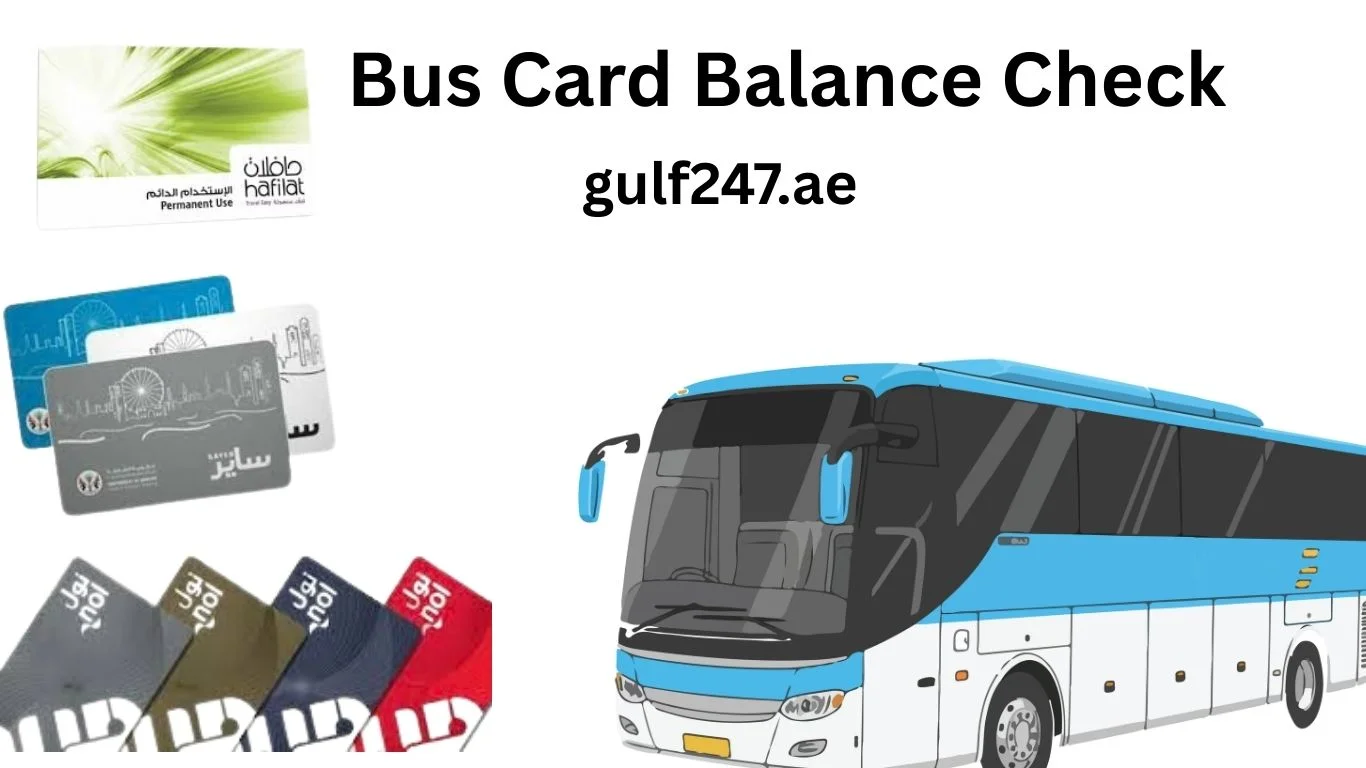
UAE Bus Card Balance Check Online 2026 – Nol, Hafilat & Sayer Card Balance Check Guide
If you live or travel in the United Arab Emirates, public transport is one of the easiest and most affordable ways to move around. However, one common problem users face daily is not knowing their card balance before starting a journey.
Whether you are using transport in Dubai, Abu Dhabi, or Sharjah, each emirate uses a different card system. If your balance is low, you may be stopped at metro gates or unable to board buses.
This complete problem-solving guide explains UAE bus card balance check online, including all working methods for:
• Nol Card (Dubai)
• Hafilat Card (Abu Dhabi)
• Sayer Card (Sharjah)
By the end, you will know exactly how to check, recharge, and fix any balance-related issue.
Why UAE Bus Card Balance Check is Important
Many users ignore checking their balance and face problems like:
• Being blocked at metro entry gates
• Bus machine rejecting the card
• Delays during daily commute
• Emergency situations when no recharge option is nearby
Doing a uae bus card balance check online before traveling helps you:
• Save time
• Avoid travel interruption
• Plan recharge in advance
• Travel stress-free
1. Nol Card Balance Check (Dubai)
The Nol Card is the most widely used transport card in Dubai. It is required for metro, buses, trams, and even parking.
It is managed by the Roads and Transport Authority.
Nol Card Balance Check Online
This is the easiest method for nol card balance check online.
Steps
- Visit the official Roads and Transport Authority website
- Navigate to Nol services
- Click on “Check Nol Balance”
- Enter your Nol card number
- Click search
Your current balance will be displayed instantly.
👉 This method is best if you want nol card balance check with number.
Nol Balance Check via Mobile App
You can also use the RTA Dubai app.
Steps
• Download the app
• Add your Nol card
• View balance on dashboard
This method also allows you to track transactions and recharge.
Nol Balance Check at Metro Station
If you are already at a station:
- Tap your card on Dubai Metro gate
- Balance appears instantly
Nol Card Recharge
You can recharge your Nol card using:
• Online portal
• Mobile app
• Metro ticket machines
• Supermarkets in Dubai
⚠️ Important: After online recharge, tap your card at a machine to update balance.
2. Hafilat Card Balance Check (Abu Dhabi)
The Hafilat Card is used for bus transport in Abu Dhabi.
It is managed by the Integrated Transport Centre.
Hafilat Card Balance Check Online
Steps
- Visit official ITC website
- Open Hafilat services
- Enter your card number
- Click check
Your balance will be displayed.
Hafilat Balance Check via App
Use the Darb app.
Steps
• Open app
• Add your card
• Check balance instantly
Hafilat Balance Check on Bus
- Tap your card when boarding
- Machine displays balance
Hafilat Card Recharge
Recharge options include:
• Online recharge
• Ticket machines
• Customer service centers
3. Sayer Card Balance Check (Sharjah)
The Sayer Card is used in Sharjah buses.
It is managed by Sharjah Roads and Transport Authority.
Sayer Card Balance Check Online
Some users search sayer card balance check online, but availability may vary.
Steps
- Visit Sharjah Roads and Transport Authority website
- Enter card number
- Check balance
👉 If not available, use bus machine method.
Sayer Balance Check on Bus
- Tap card on machine
- Balance will display
This is the most reliable method.
Sayer Card Recharge
Recharge options:
• Bus station machines
• SRTA centers
• Selected locations in Sharjah
UAE Bus Card Comparison Table
| Feature | Nol Card | Hafilat Card | Sayer Card |
|---|---|---|---|
| City | Dubai | Abu Dhabi | Sharjah |
| Authority | Roads and Transport Authority | Integrated Transport Centre | Sharjah Roads and Transport Authority |
| Online Check | Yes | Yes | Limited |
| Mobile App | Yes | Yes | Limited |
| Recharge | Online + Machines | Online + Centers | Machines |
Common Problems Users Face (Solved)
1. Balance Not Showing Online
Problem: Website not loading or showing error
Solution:
Use mobile app or machine
2. Card Not Working at Bus or Metro
Problem: Card not detected
Solution:
Try another machine or replace card
3. Recharge Not Updating
Problem: Balance still old after recharge
Solution:
Tap card at machine to update
4. Forgot Card Number
Problem: Cannot check online
Solution:
Use physical machine or check via app
Which UAE Bus Card Should You Use?
Each emirate has its own system:
• In Dubai → Use Nol Card
• In Abu Dhabi → Use Hafilat Card
• In Sharjah → Use Sayer Card
👉 Cards are not fully interchangeable between cities.
Expert Tips to Avoid Daily Travel Problems
To avoid issues, follow these simple tips:
• Always perform uae bus card balance check online before leaving
• Keep minimum balance available
• Recharge before peak hours
• Save your card number in your phone
• Use official apps only
Frequently Asked Questions
How to check UAE bus card balance online?
You can check online using official websites of transport authorities in each emirate.
Can I use one card across UAE?
No. Each city uses a different system like Nol Card, Hafilat Card, and Sayer Card.
What is the fastest way to check balance?
Tap your card on bus or metro machine.
Can I recharge all cards online?
Most support online recharge except limited features for Sayer card.
Why is my balance not updating?
You must tap your card at a machine after online recharge.
Final Thoughts
The uae bus card balance check online process is simple once you understand the correct method for your city. Whether you are using the Nol Card, Hafilat Card, or Sayer Card, keeping track of your balance is essential.
This guide helps you solve real problems like low balance, recharge delays, and card errors. Always check your balance before travel and keep your card active for a smooth journey across the United Arab Emirates.


